Design Custom Sublimation Letters with Canva Frames
Creating truly custom lettering for sublimation projects used to be a complex, multi-software headache. You'd design in one program, create outlines in another, and hope your file transfers cleanly. The Canva Letters Frame Alphabet TemplateC27 changes that workflow entirely. This digital file provides a direct link to a set of custom-made Canva frame templates, allowing you to design and personalize individual letters right inside the platform millions already use. It’s a practical bridge between professional sublimation design and accessible, browser-based editing.
A Modern Toolkit for Custom Monograms and Lettering
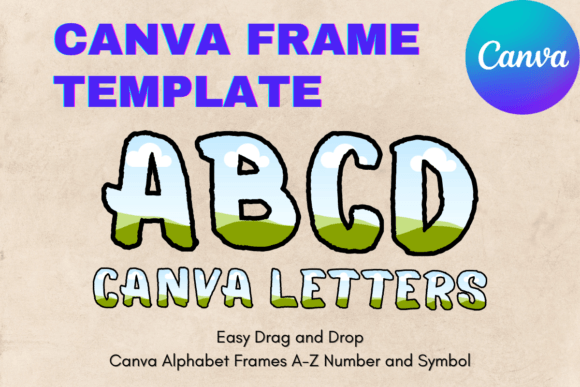
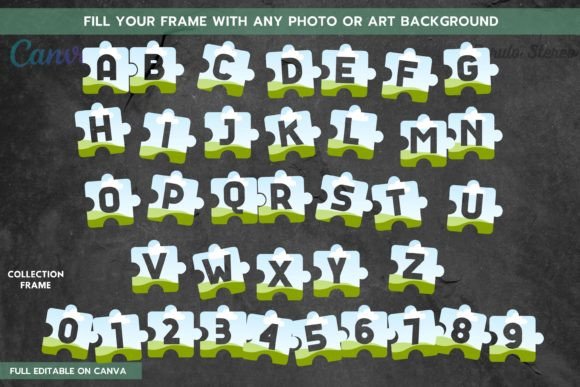
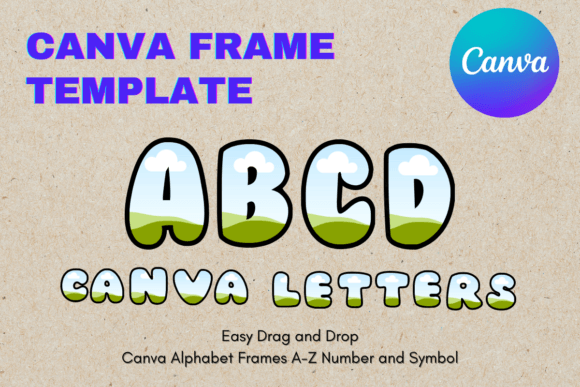
Forget static PNG or SVG files. This is an editable Canva frame template. Think of each letter of the alphabet as a ready-made container. You simply drag and drop your chosen pattern, texture, or image into the frame, and Canva does the clipping work. The result is a single, custom-designed letter ready for your project. The visual personality of the template itself is clean and contemporary, offering a solid foundation that doesn't compete with your chosen fill. It’s a modern typography solution that prioritizes versatility over ornate detail, making it a powerful design asset for a wide range of aesthetics.
The style is inherently adaptable. Because the frames are transparent layers, the final look is 100% determined by what you put inside. Want a floral monogram for a wedding gift? Fill the frame with a botanical pattern. Need a bold, grunge-textured initial for a t-shirt? Use a distressed overlay. This flexibility makes the Canva Letters Frame Alphabet TemplateC27 a premium font alternative—not a traditional typeface, but a creative system for generating unique letterforms. It’s perfect for crafters and small business owners who need to produce commercial font-style assets without licensing a full typeface family.
Where This Template Shines: From Digital to Physical
The applications stretch far beyond a single project. For brand identity work, imagine creating a monogram logo where each initial is filled with a subtle, brand-specific color gradient or texture. This level of customization builds immediate recognition. In packaging design, custom letters can spell out product names or ingredients with a tactile, high-end feel that stands out on the shelf.
For editorial design and social media graphics, these frames are invaluable. Create large, impactful drop caps for blog posts or magazine layouts where the letter itself tells a visual story. On Instagram or Pinterest, a series of initials filled with different seasonal patterns can create a cohesive and engaging visual campaign. The process is straightforward: select your letter, drop in your image, adjust, and export. This efficiency is a game-changer for content creators and marketers working with tight deadlines.
On a personal level, the possibilities are equally rich. Crafters can design custom apparel, mugs, tote bags, and home decor with letters that reflect personal hobbies or family themes. The paper size 8.5×11 inch format makes it easy to print test sheets at home before committing to a full sublimation transfer. The ability to size up or down to suit your needs means the same template works for a tiny monogram on a pen and a large statement piece on a wall hanging.
Making It Work: Practical Guidance for Flawless Results
Success with this template starts with understanding its nature. It is NOT a PNG, SVG, or traditional font file. You cannot install it in your operating system or use it in Adobe Illustrator without going through Canva first. Its power lies in the easy drag & drop editing within Canva’s interface. Embrace that workflow.
When choosing your fill patterns, consider readability. A highly detailed, low-contrast image inside a letter frame can become visual noise. For web design or small-scale applications, simpler textures or solid color blocks often work best. For larger physical products, you can afford more complexity. Always test your design at the intended output size. Canva’s zoom function is your friend here.
Think about font pairing in a broader sense. If you’re using these custom letters as part of a larger design, pair them with a simple, complementary sans serif font for body text. The contrast will make your custom lettering pop without overwhelming the viewer. This approach maintains visual hierarchy and ensures your message remains clear.
Finally, remember the core product: a PDF file with the link to the Canva templates. Once you access the link, you can duplicate the templates within your Canva account and use them repeatedly for different projects. This makes the Canva Letters Frame Alphabet TemplateC27 a reusable creative font resource for your toolkit. Whether you're a designer building assets for clients, an entrepreneur creating branded merchandise, or a hobbyist crafting personalized gifts, it provides a direct path to professional-looking, custom sublimation lettering without the steep learning curve.